As a Manager, we can update info and respond to reviews. We cannot delete your profile or remove you as owner. You can revoke access anytime.
1. Pick "Manager", never "Owner". You stay the owner of your profile.
2. Our account shows the name "Slate Systems" with the email maps@slatesystems.io. If you see another name next to that email, it is still us. The email is what counts.
From Desktop (Recommended)
Go to Google Business Profile Manager
Visit business.google.com and sign in with the Google account that owns your business profile.
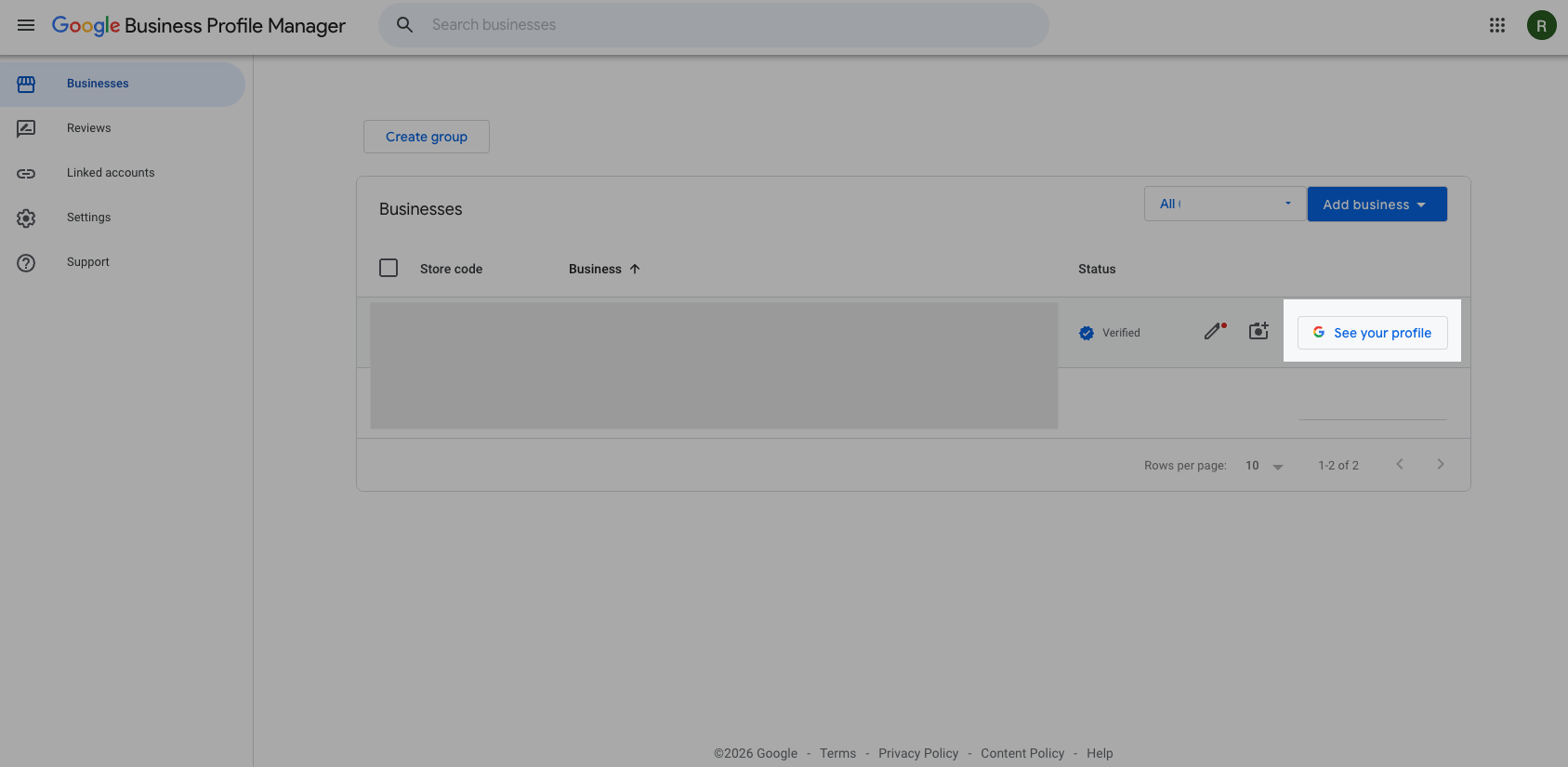
If you see a list, click "See your profile"
If you get a list of businesses, on the right side of your business name click "See your profile".
No list? If Google opens a search page with "Your business on Google" at the top, you are already in the right place. Skip to Step 3.
Open the menu
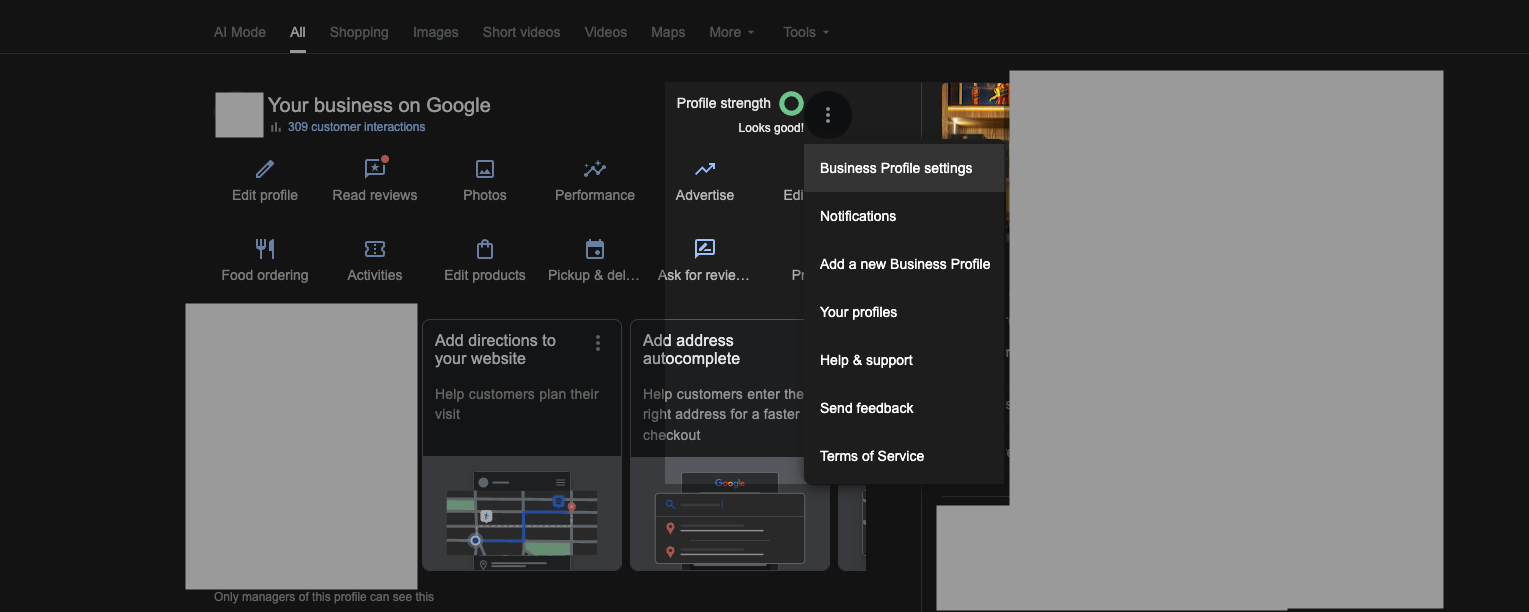
In this search-style view ("Your business on Google" at the top), click the three-dot menu (⋮) to the right of "Profile strength". It is small and easy to miss. The picture in the next step shows where it is.
Select "Business Profile settings"
From the dropdown menu, click "Business Profile settings".
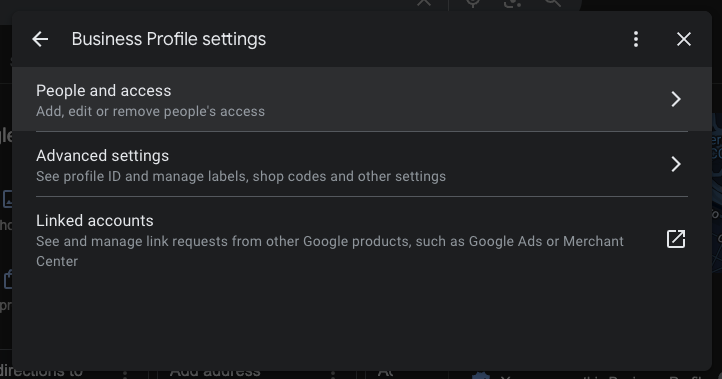
Go to "People and access"
In the settings menu, click "People and access" (it may also be labeled "Managers").
Add a new manager
Click the "Add" button, then enter our email address:
maps@slatesystems.ioSelect "Manager" and send
Choose "Manager" (not Owner), then click "Invite". We'll accept within 24 hours.
From Mobile (Google Maps App)
Option A: Search for your business on Google Maps → skip to Step 3.
Option B: Tap your profile icon → follow from Step 1.
Open Google Maps and tap your profile
Open the Google Maps app. Tap your profile picture in the top-right corner to open the menu.
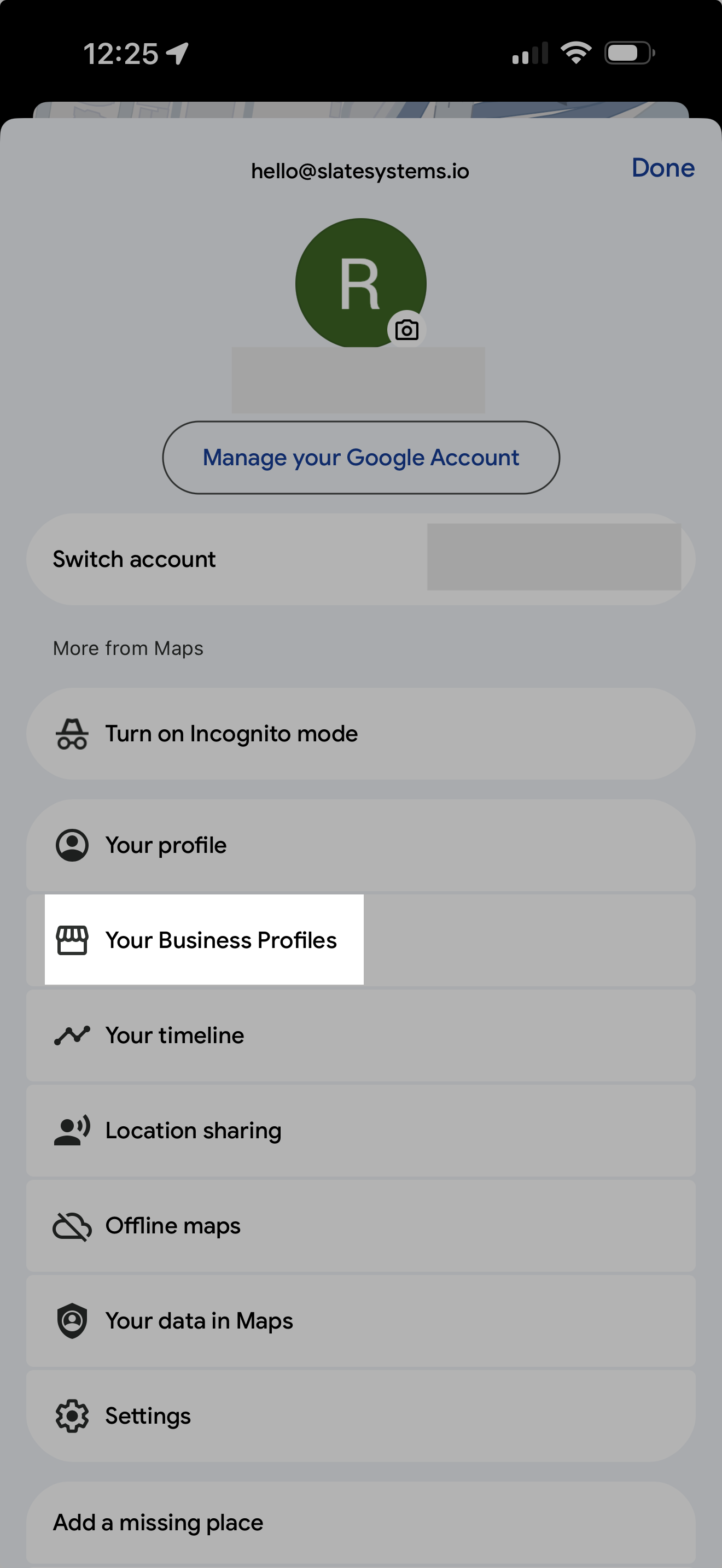
Tap "Your Business Profiles"
From the menu, tap "Your Business Profiles". Then tap "See Business Profile" to open your profile.
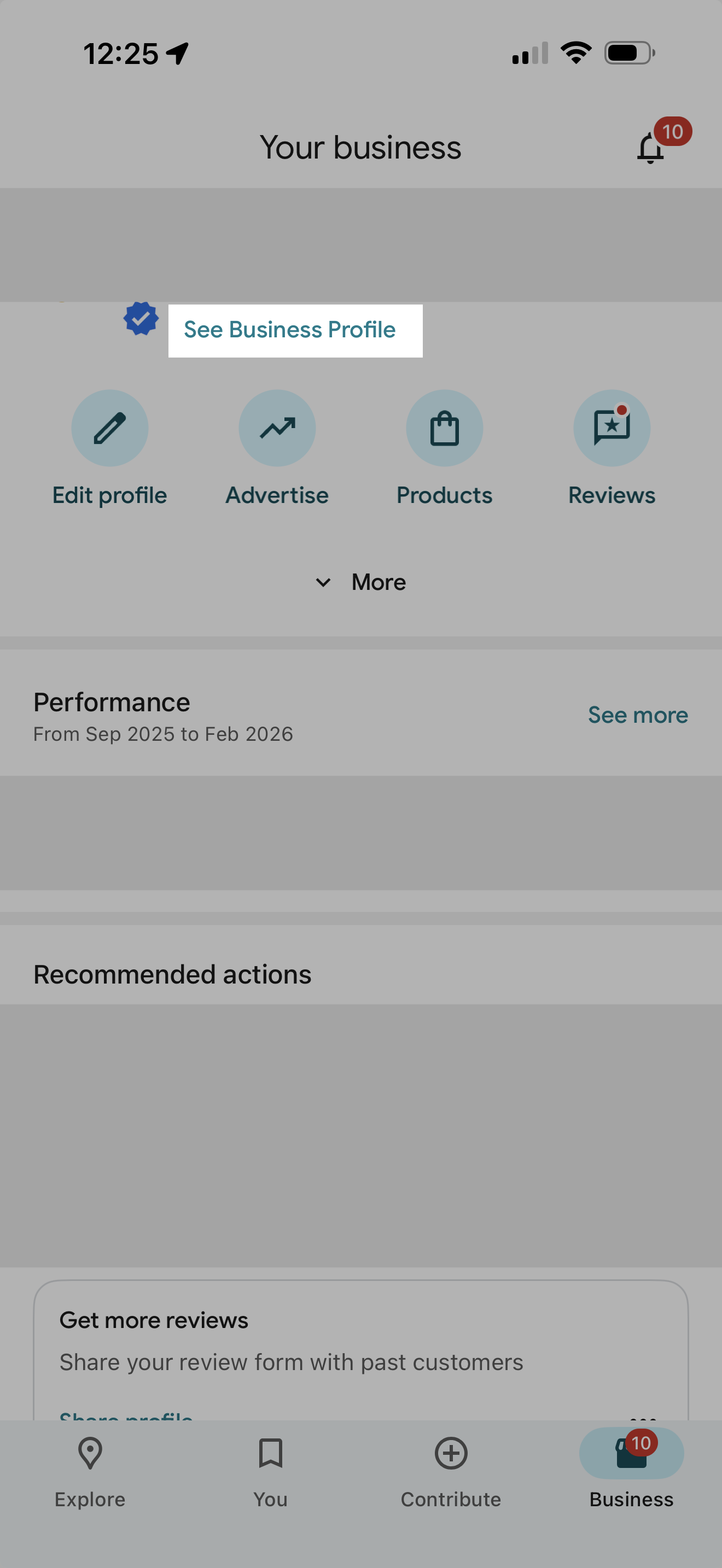
Tap the "More" button
On your business profile, tap the "More" button (three dots). It is usually in the row of buttons near the top, and you may need to scroll those buttons to the right to find it. On some phones it is not up top at all, it sits lower down the screen, so scroll down a little and look for it there too.
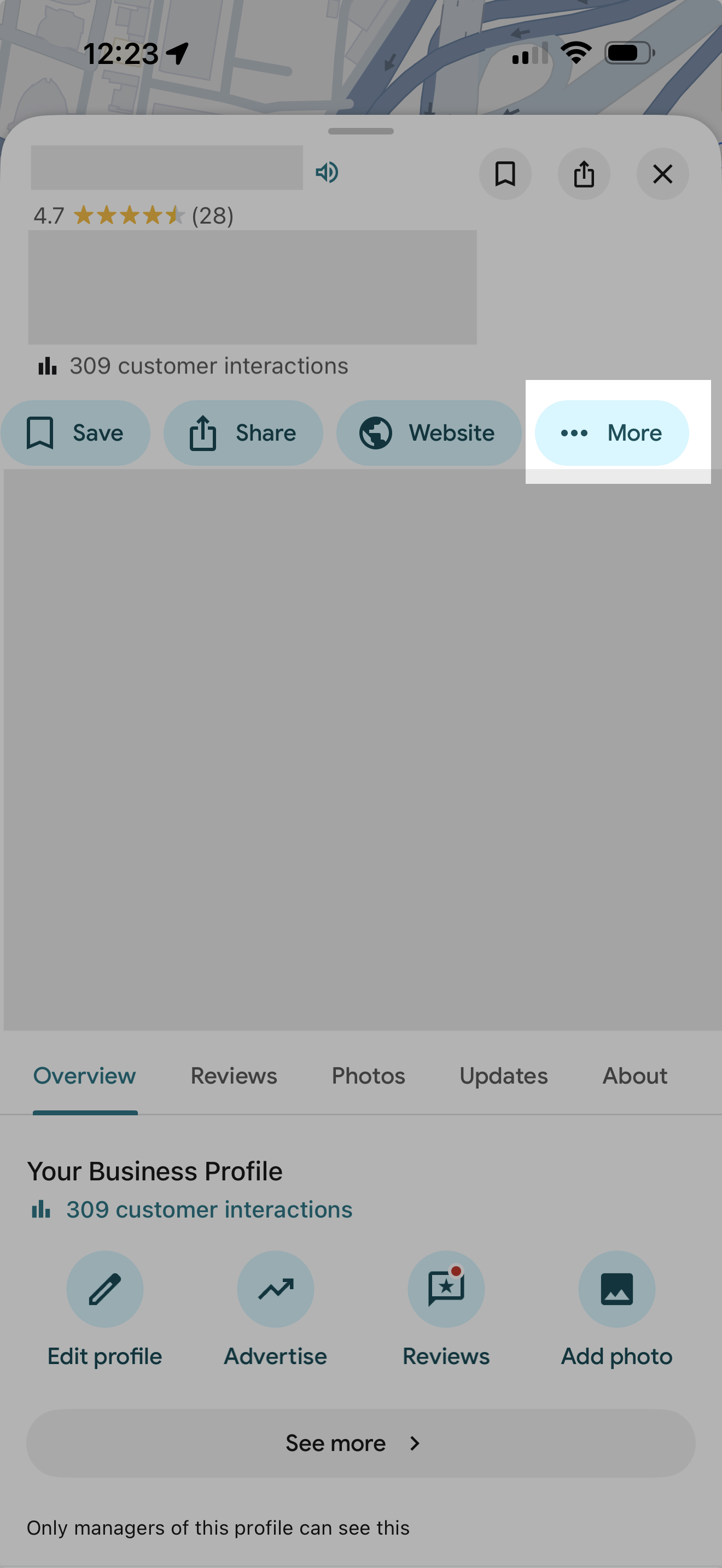
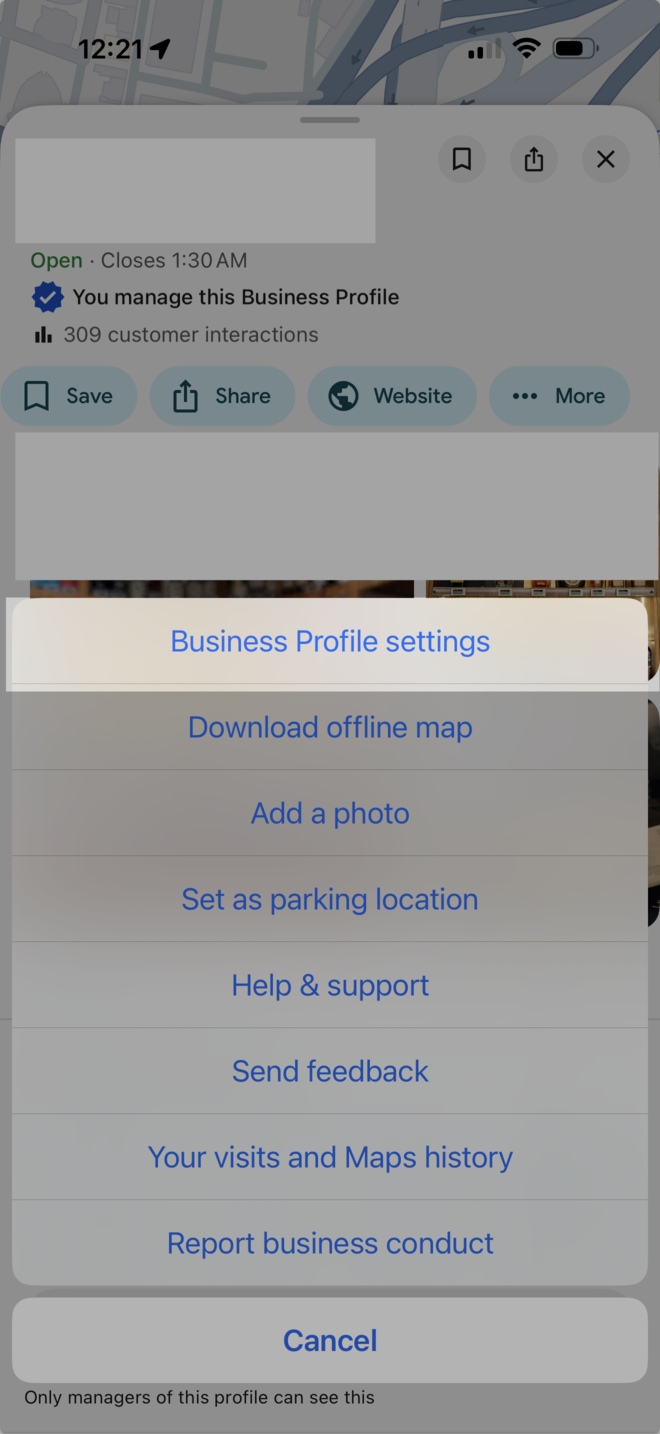
Tap "Business Profile settings"
From the popup menu, tap "Business Profile settings".
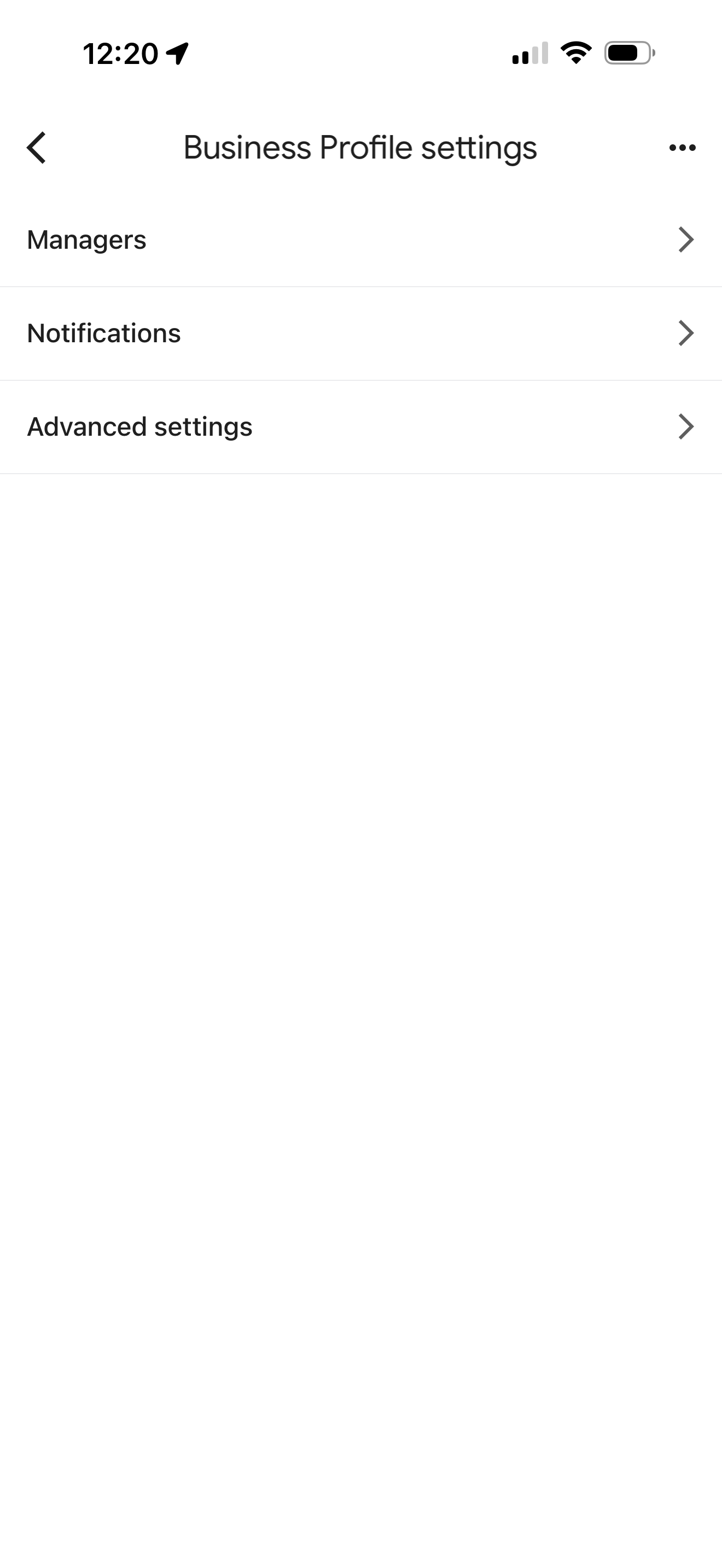
Tap "Managers"
Tap "Managers" to open the access management screen.
Add our email
Tap the "+" or "Add" button. Enter our email and select "Manager" access:
maps@slatesystems.ioTap "Invite" to send it
After you pick "Manager", tap "Invite" (it can also say "Send" or "Add") to actually send it. This is the step most people miss. If you do not tap it, nothing reaches us.
1. Our email should show as "Pending." On the Managers screen, our email (maps@slatesystems.io) should appear in the list marked as "Pending". That means the invite went out and we can accept it. If it is not there, the invite did not send, so add it again.
2. If the "Invite" button is hard to tap on your phone, use a computer. On some phones the back button or bottom bar sits on top of the "Invite" button and blocks your tap. If that happens, open google.com/business on a laptop or computer and add us from there. It takes one minute. Same email, same "Manager" access.
We accept within 24 hours. Our invite did not arrive? See the 3 checks.
📨 We did not get your invite?
This happens a lot. It is almost always one of these 3 things.
Check the email, letter by letter
Go back to People and access. Look for maps@slatesystems.io under Pending. One wrong letter and the invite goes to nobody. Wrong? Remove it and add it again with the Copy button above. Copy and paste, never type it.
Check that you clicked "Invite"
Our email is not in the list at all? Then the invite did not go out. Add it again and click Invite at the end.
Send us a screenshot
Take a picture of the People and access screen and text it to us. We tell you what to do in one message.
👑 See who the primary owner is
The primary owner is the main boss of your profile. It should be you, with your own Gmail. Not a web company. Not an old employee.
Open "People and access"
Do steps 1 to 5 above (computer) or 1 to 5 (phone).
Read the role under each name
Google shows each person's role: Primary owner, Owner or Manager.
Is the primary owner your own Gmail?
Good. Is it someone else? Text us. We help you get it back. See how to request access.
🚫 Remove people you do not know
Not sure who someone is? Text us a screenshot first. Some names can be your web company or the person who runs your ads.
Open "People and access"
Same steps as above.
Click the person you do not know
Click (or tap) their name.
Click "Remove person"
Confirm. Done. The person loses access right away.
Never remove these two
Your own Gmail, and maps@slatesystems.io (that is us).
? Related Questions
| Action | Owner | Manager |
|---|---|---|
| Edit business info | ✓ | ✓ |
| Respond to reviews | ✓ | ✓ |
| Post updates & photos | ✓ | ✓ |
| View insights | ✓ | ✓ |
| Add/remove managers | ✓ | ✗ |
| Delete the profile | ✓ | ✗ |
| Transfer ownership | ✓ | ✗ |
- Make sure you're signed into the Google account that owns the profile
- The profile must be verified before you can add managers
- Try on desktop - the mobile app sometimes has limited options
- Clear your browser cache and try again
- If you have multiple Google accounts, try signing out of all and signing into just one
Yes, you can remove us as a manager anytime. Go to the same "People and access" settings and click "Remove" next to our email.